> ## Documentation Index
> Fetch the complete documentation index at: https://docs.paradigmai.com/llms.txt
> Use this file to discover all available pages before exploring further.
# Chat Overview
Use Chat to ask questions about your data, add context, and generate new insights.
### Finding Chat
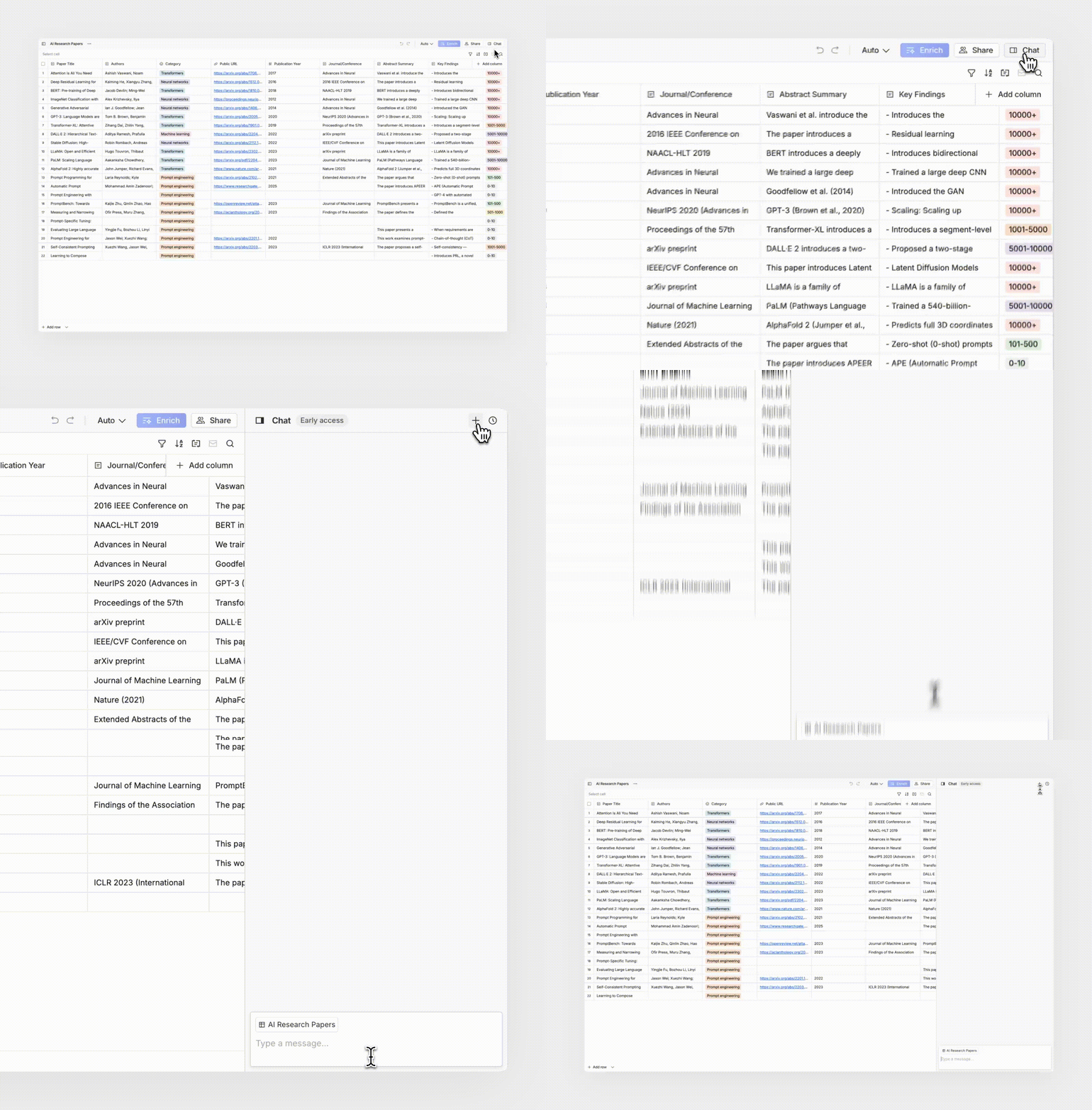
Click the Chat button in the upper right of a sheet to start a new conversation.
 ### Add Columns
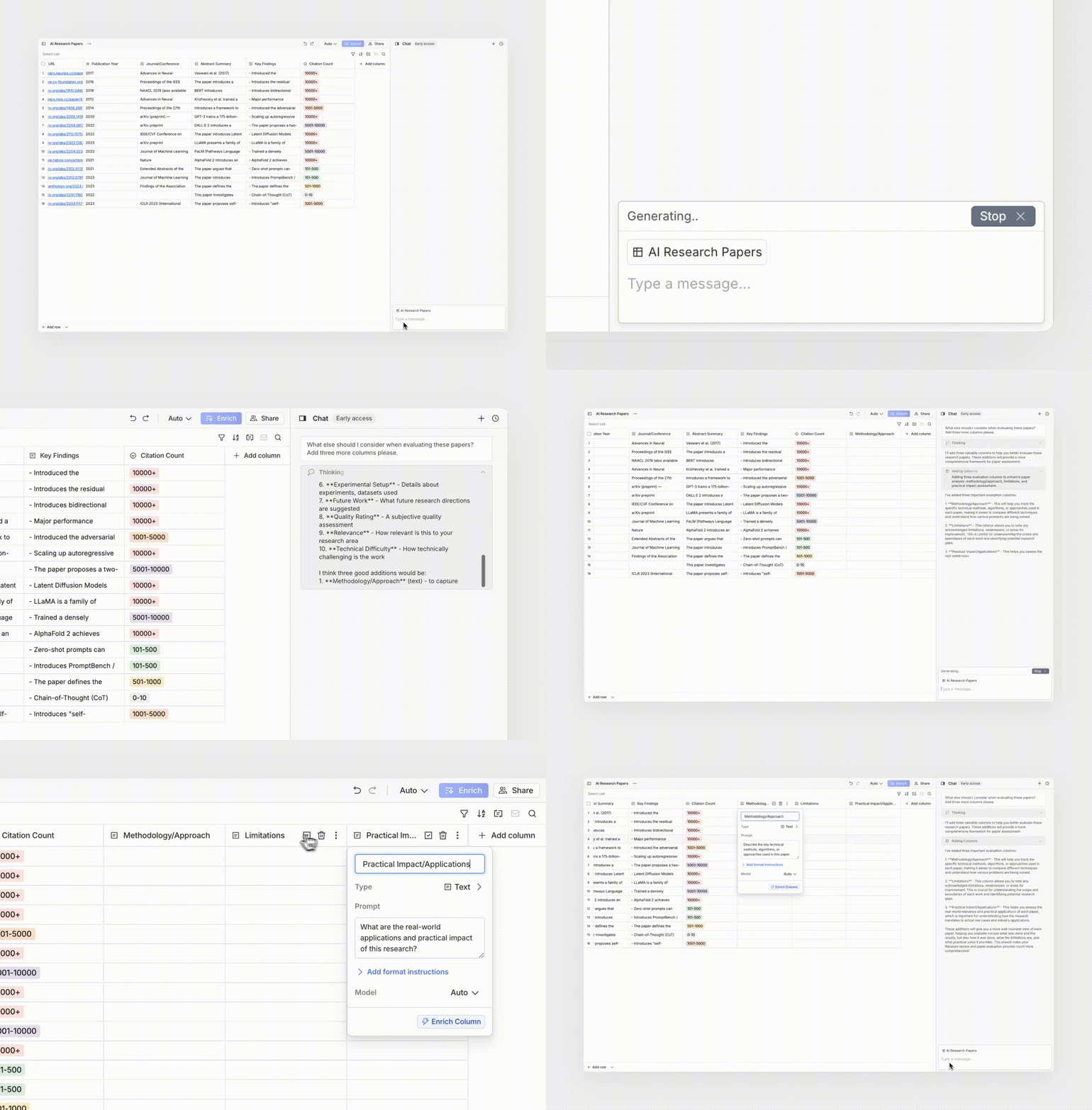
Use Chat to generate new columns in your sheet.
**Example prompt:** “Add a column that tags each company as enterprise or SMB.”
### Add Columns
Use Chat to generate new columns in your sheet.
**Example prompt:** “Add a column that tags each company as enterprise or SMB.”
 ### Add Rows
Chat can insert new rows to expand your dataset.
**Example prompt:** “Add rows for three more companies in this market.”
### Chat vs. Cell Agent
Think of Chat and Cell Agent as complementary:
* **Chat — structure and reasoning**: Best for creating new rows/columns, running multi-step logic, and asking questions about your data.
* **Cell Agent — [data enrichment](/sheet-actions/enrich)**: Cell Agent is optimized for tool calling to obtain accurate results.
**Tip:** Use Chat to shape your sheet. Use Cell Agent to fill in the details.
### Tips
* **Build better prompts**: Ask chat to identify goals and break down a concrete plan of action.
* **Be specific with prompts**: “Add a column with a two sentence memo based on my investment thesis that AI applications will transform the future of work” is better than “Tell me about these companies”
* **Reference columns explicitly** for better accuracy (e.g., “Use `Company` and `Website` columns”).
### Troubleshooting
* **Trying to fill in data?** Use [cell enrichment](/sheet-actions/enrich), not Chat. Cell Agent runs purpose-built enrichment tools on your selected cells for higher accuracy and clearer traces.
* **No changes after a request?** Ensure you have an active sheet selected and that your prompt references columns that exist.
### Add Rows
Chat can insert new rows to expand your dataset.
**Example prompt:** “Add rows for three more companies in this market.”
### Chat vs. Cell Agent
Think of Chat and Cell Agent as complementary:
* **Chat — structure and reasoning**: Best for creating new rows/columns, running multi-step logic, and asking questions about your data.
* **Cell Agent — [data enrichment](/sheet-actions/enrich)**: Cell Agent is optimized for tool calling to obtain accurate results.
**Tip:** Use Chat to shape your sheet. Use Cell Agent to fill in the details.
### Tips
* **Build better prompts**: Ask chat to identify goals and break down a concrete plan of action.
* **Be specific with prompts**: “Add a column with a two sentence memo based on my investment thesis that AI applications will transform the future of work” is better than “Tell me about these companies”
* **Reference columns explicitly** for better accuracy (e.g., “Use `Company` and `Website` columns”).
### Troubleshooting
* **Trying to fill in data?** Use [cell enrichment](/sheet-actions/enrich), not Chat. Cell Agent runs purpose-built enrichment tools on your selected cells for higher accuracy and clearer traces.
* **No changes after a request?** Ensure you have an active sheet selected and that your prompt references columns that exist.