> ## Documentation Index
> Fetch the complete documentation index at: https://docs.paradigmai.com/llms.txt
> Use this file to discover all available pages before exploring further.
# Advanced Settings
Use Column Configuration to control how each column behaves, enriches, and formats data.
***
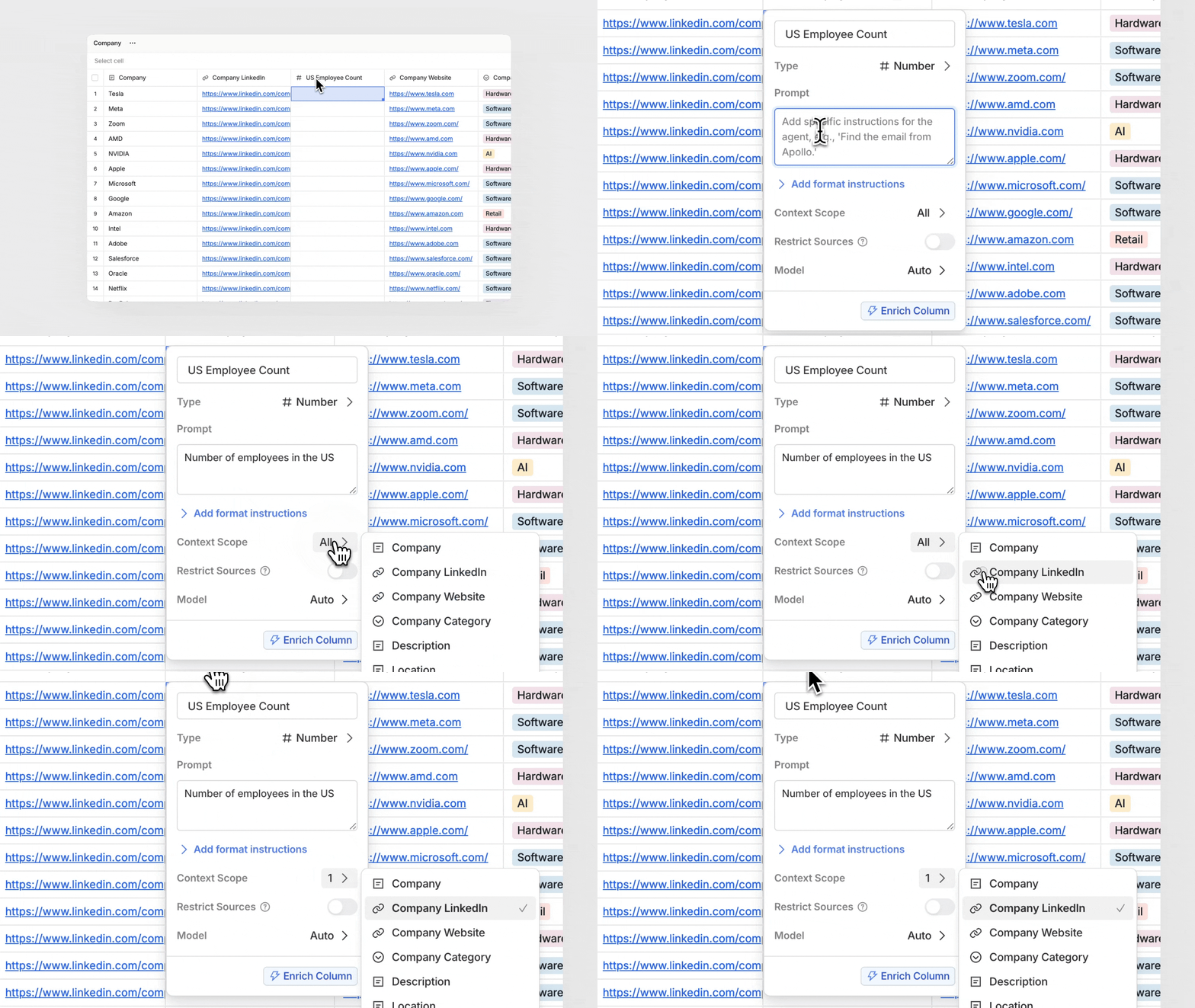
### Context Scope
Define which other columns the agent can use as context during enrichment.\
Select **All** or choose specific columns for more control.
 ***
### Restrict Web Sources
Limit enrichment to use specific domains or data sources.
> Example: *crunchbase.com, ft.com*
Use this when you want to ensure outputs come only from trusted sites.
***
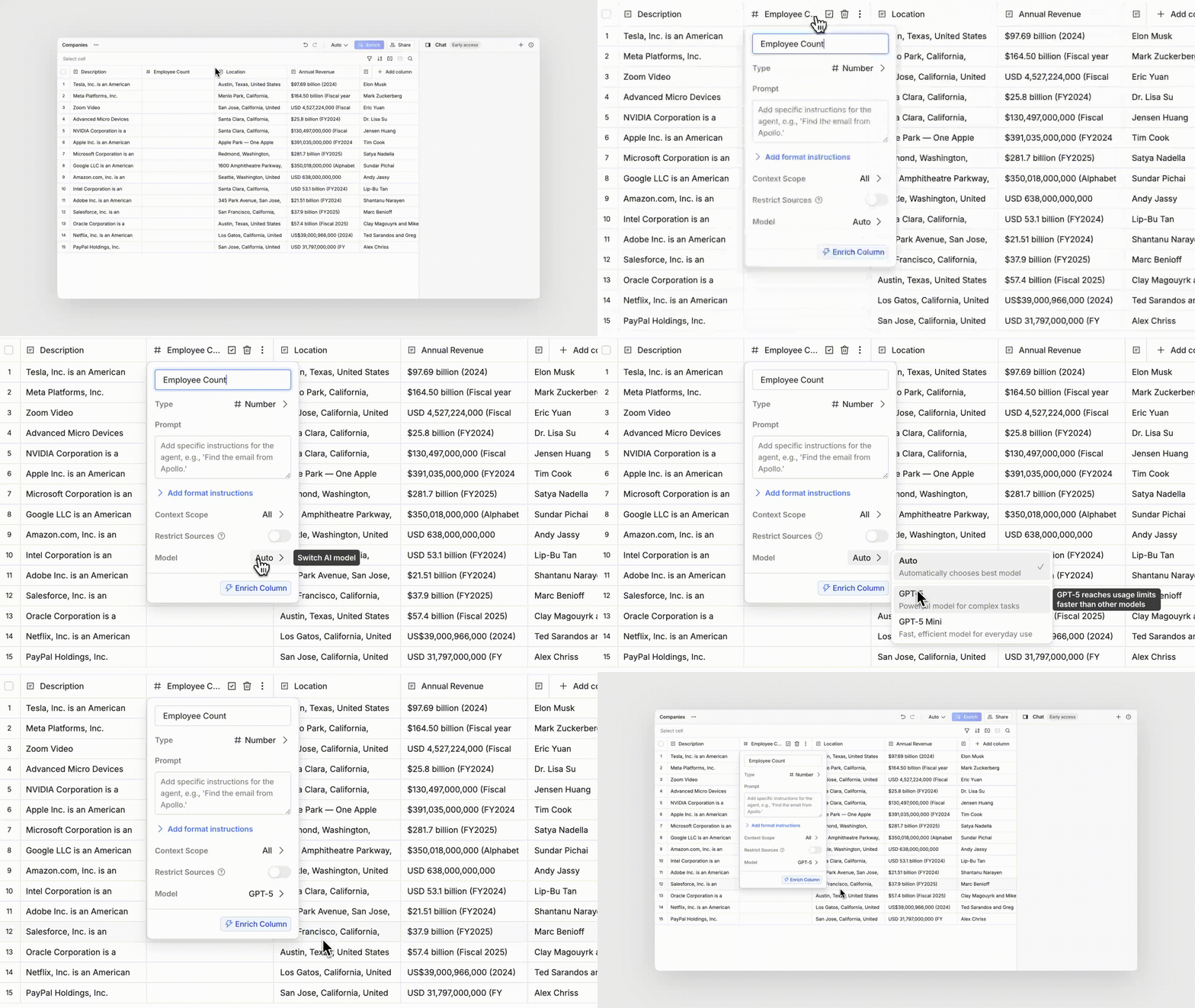
### Model
Choose which AI model to use for enrichment.\
Select **Auto** to let Paradigm pick the most efficient option, or manually choose a specific model for consistency.
***
### Restrict Web Sources
Limit enrichment to use specific domains or data sources.
> Example: *crunchbase.com, ft.com*
Use this when you want to ensure outputs come only from trusted sites.
***
### Model
Choose which AI model to use for enrichment.\
Select **Auto** to let Paradigm pick the most efficient option, or manually choose a specific model for consistency.